[image never archived: Screenshot-2025-03-26-at-17.34.21.png]
At the end of Part 1 of this series of posts on how I'm creating the personalised news feeds for multiple personas, we got into the Flow 3 stage, where we had a list of articles that needed to be processed.
For reference here are all the flows that are related to the creation of the article's entities:
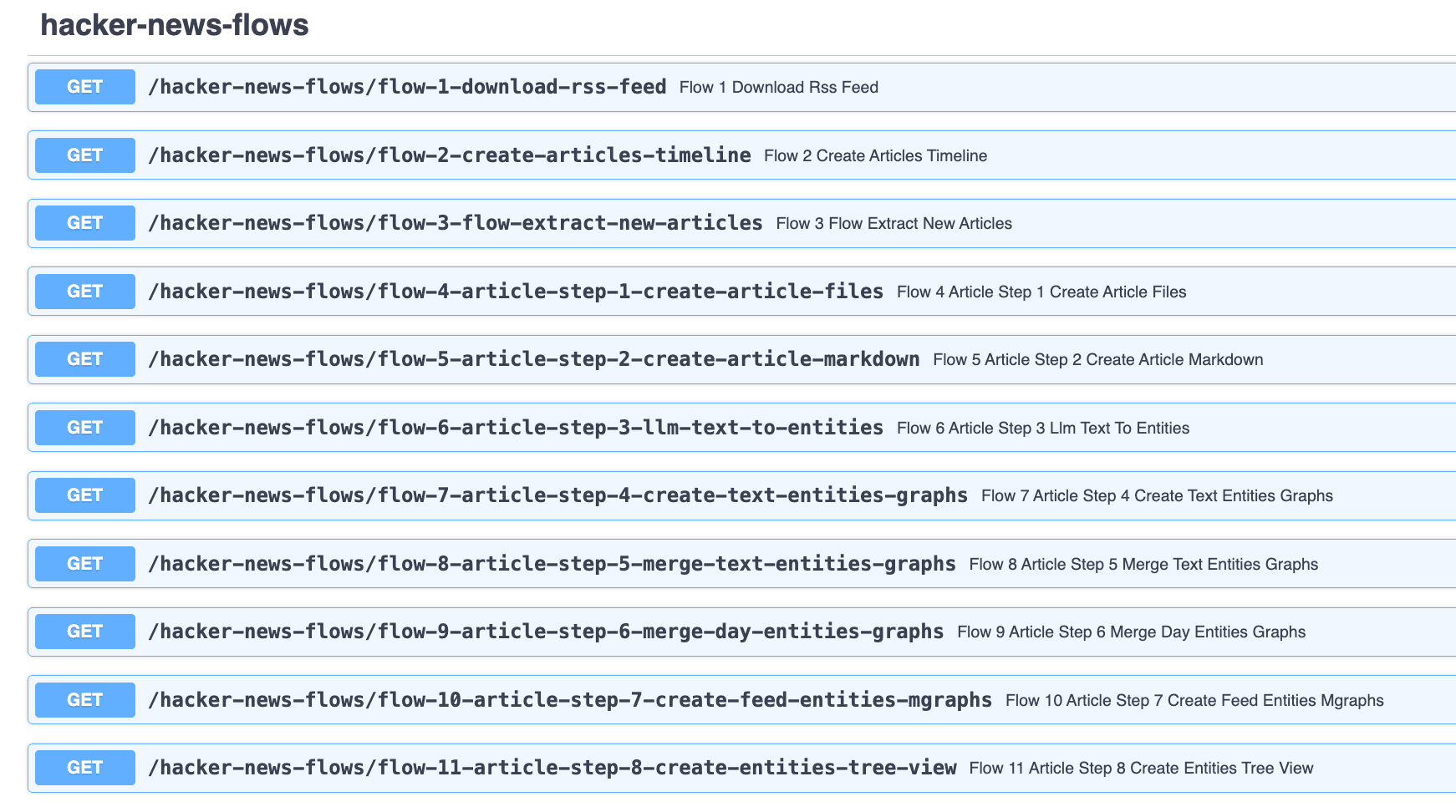
Let's continue with Flow 4.
Flow 4 - Create Articles
We trigger this flow by invoking to the hacker-news-flows/flow-4-article-step-1-create-article-files endpoint which returns:
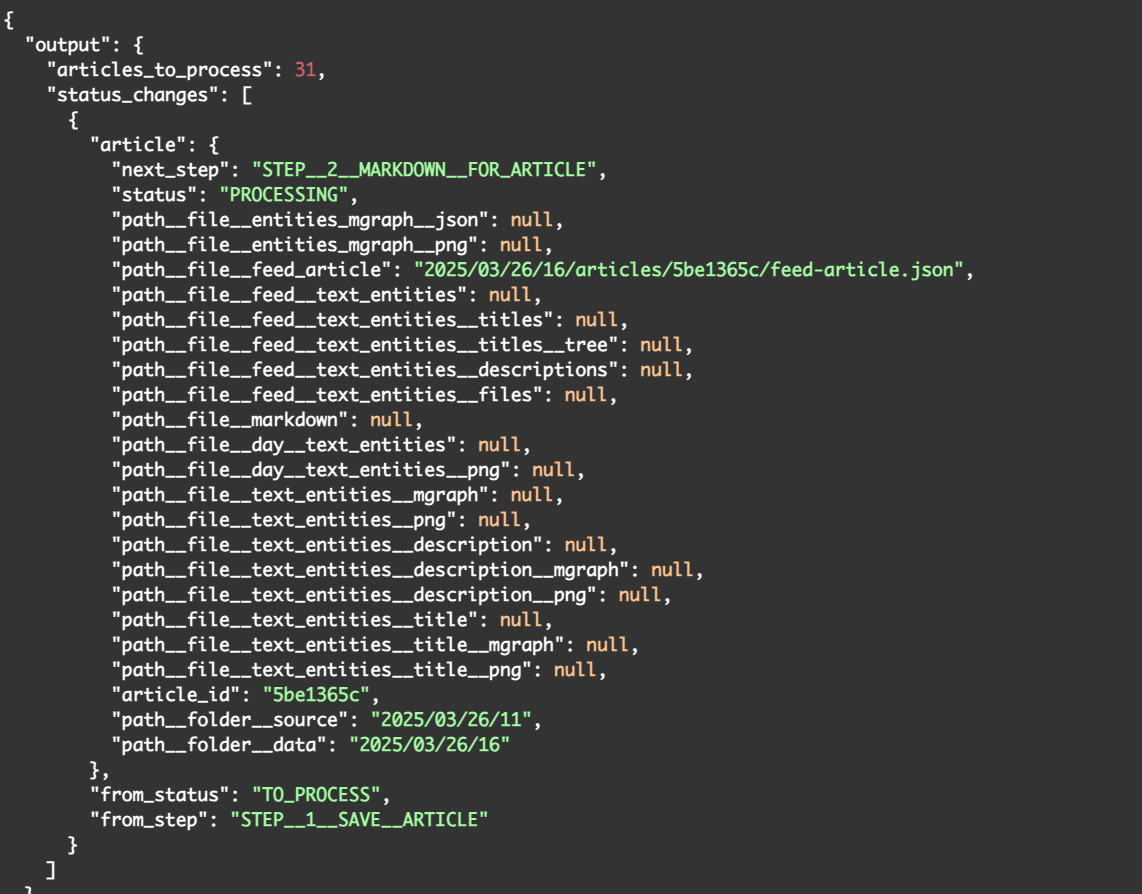
There is quite a lot to unpack here, so let's look at what the data is telling us:
- "articles_to_process": 31 - This is the number of articles that are in the current article processing state
- "from_step": "STEP__1__SAVE__ARTICLE" - This represents the state of this article (before the execution of the flow)
- "next_step": "STEP__2__MARKDOWN__FOR_ARTICLE" - this is inside the "article" object, and represents the next state for this article (which will be picked up by the next flow)
- "path__file__feed_article": "2025/03/26/16/articles/5be1365c/feed-article.json" - this is the path of where we will find the json data for this article (created by this flow)
- "article_id": "5be1365c" - this is one of the most important values here, since this is the unique ID for the current article. This value was created from the UUID provided by the RSS feed
- "path__folder__source": "2025/03/26/11" and "path__folder__data": "2025/03/26/16" are also very important values, since they tell us where the article data was retrieved from (i.e. which RSS Feed json object contained this data) and where we are storing all new files. In most cases these will be the same folder, but like in this situation, if there is a delay between the download of the RSS value and the creation calculation of the timeline's diff, we will have different values here
- path__file__markdown": null (and all the other 'null' paths) - these are the values that will be populated as the multiple flows execute (i.e. in most cases, each flow execution will only update one or a couple of these paths)As we can see by the contents of the response data, there was only one file created in this flow, which was the 2025/03/26/16/articles/5be1365c/feed-article.json file, and looks like this:
image · Screenshot-2025-03-26-at-16.26.53.png
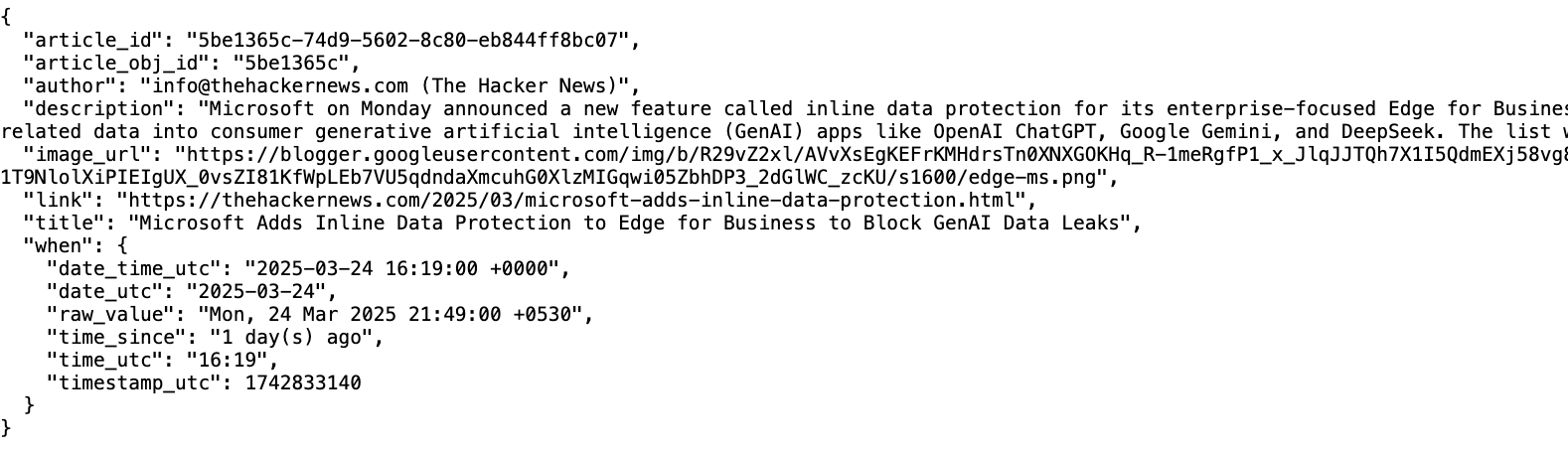
This file is actually the exact same content that we have in the article's section of the hacker-news/2025/03/26/11/feed-data.json file, but since all the follow-up steps are executed from this file, and as seen above, we could have a situation where the source and data folders don't match (note the hour 11 of the source folder 2025/03/26/11, vs hour 16 of the data folder we are using to store the created files), it is much better to have the data for this article inside the **2025/03/26/16/articles/{article_id}/* **folder (which is a unique folder for this article)
Flow 5 - Create Markdown file
Next up is the invocation of *hacker-news-flows/flow-5-article-step-2-create-article-markdown which is one of the simplest flows here, since all it is doing is creating a markdown version of the feed-article.json* file shown above
The invocation response is very similar:
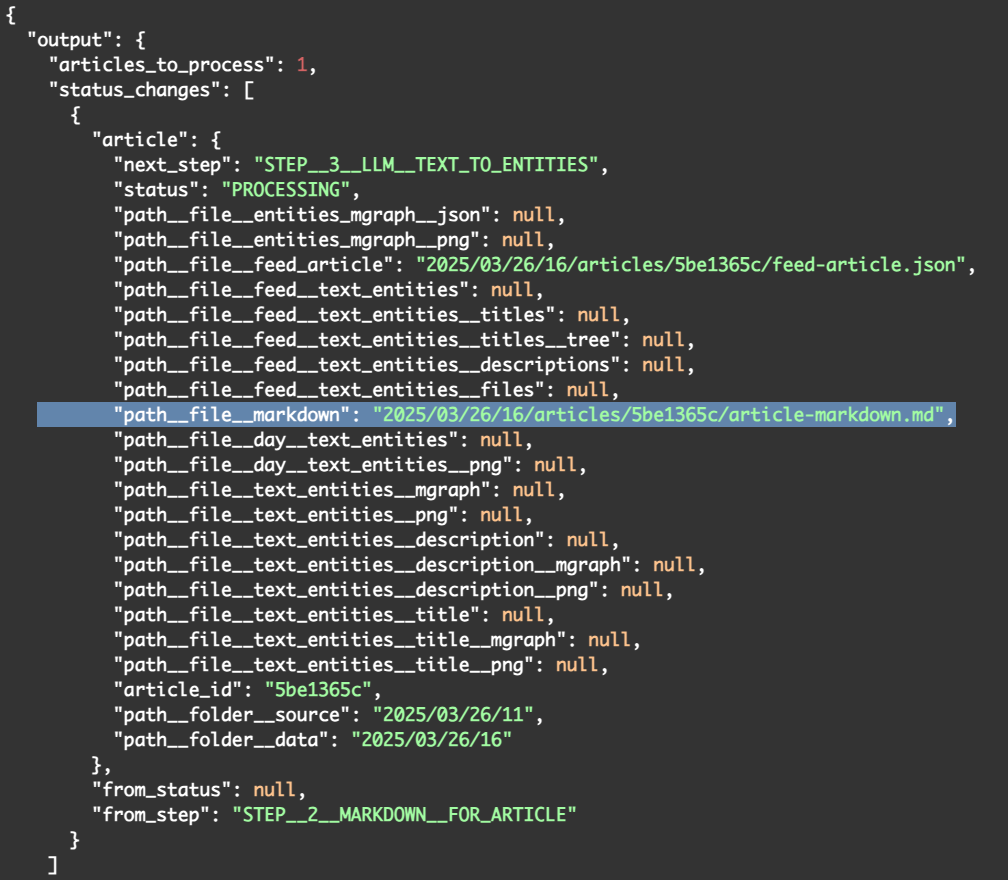
The *next_step *represents where we are going next: STEP__3__LLM__TEXT_TO_ENTITIES and the ***path__file__markdown* field now has the value of "2025/03/26/16/articles/5be1365c/article-markdown.md** which looks like this:

This markdown file will be useful when we need to provide to the final LLM step the contents of the matched articles (for the personalisation of the persona specific security feed)
Flow 6 - Creating Text Entities (first use of LLM)
The next Flow is the first one to actually make a call to an LLM. The reason we use LLMs here is because this is the only scalable and practical way to extract entities (i.e. Semantic Knowledge Graphs) from some text.
We execute this flow by invoking the endpoint hacker-news-flows/flow-6-article-step-3-llm-text-to-entities, which provides this response:
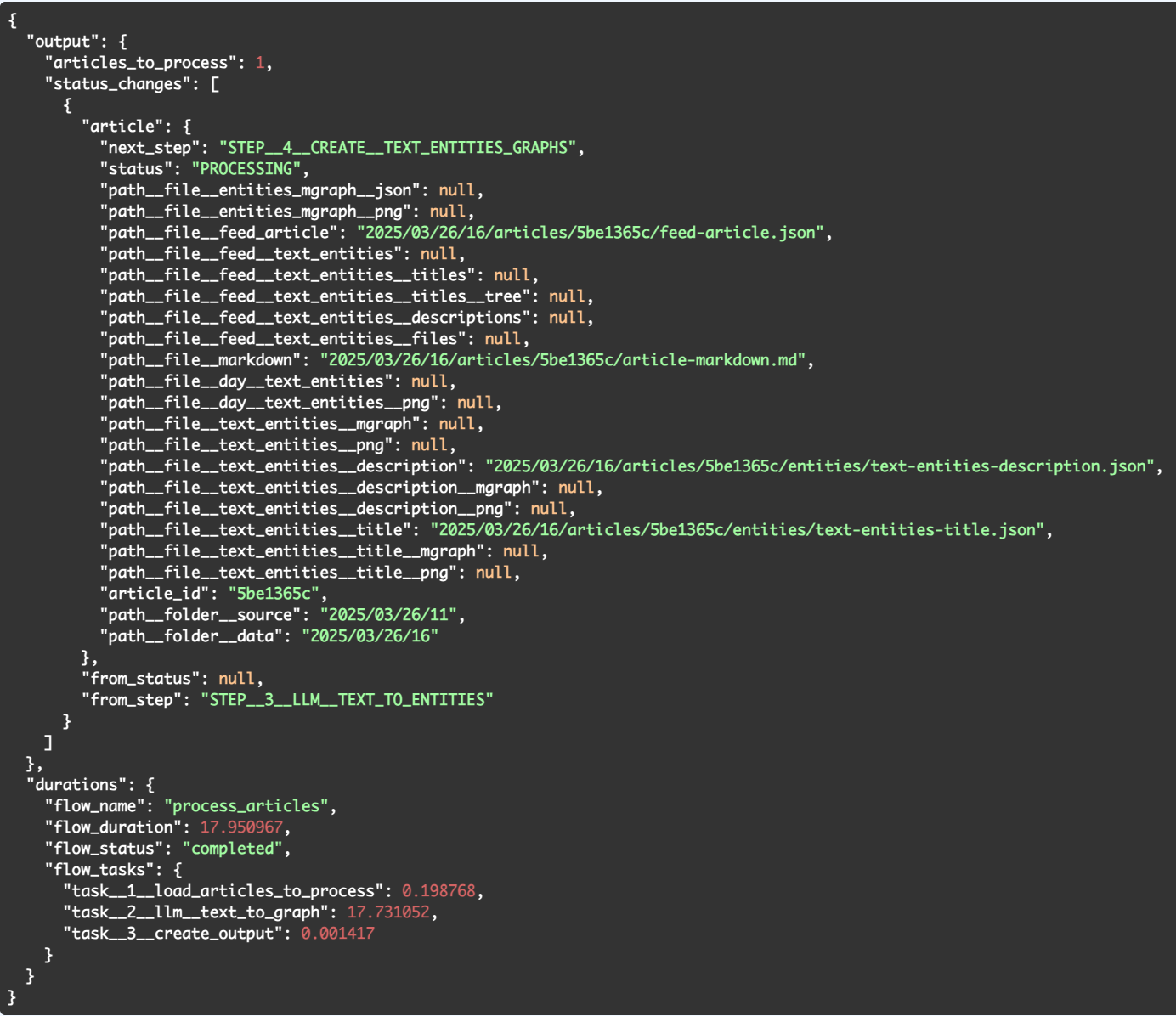
There are number of quite interesting things happening here.
There were two files created :
- text-entities-title.json - containing the entities extracted from the article's title
- text-entities-description.json - containing the entities extracted from the article's summary/description.... and the duration of this flow was 17.731052 seconds (~18 seconds).
The duration was quite surprising to me, since I was expecting the LLMs to be much faster in this entities extraction (in this case we are using gpt-4o-mini).
This is a good example of something that is better to be discovered during an MVP, since it did change some of my original plans of how to execute the entire flow in one go (to be covered by a later post)
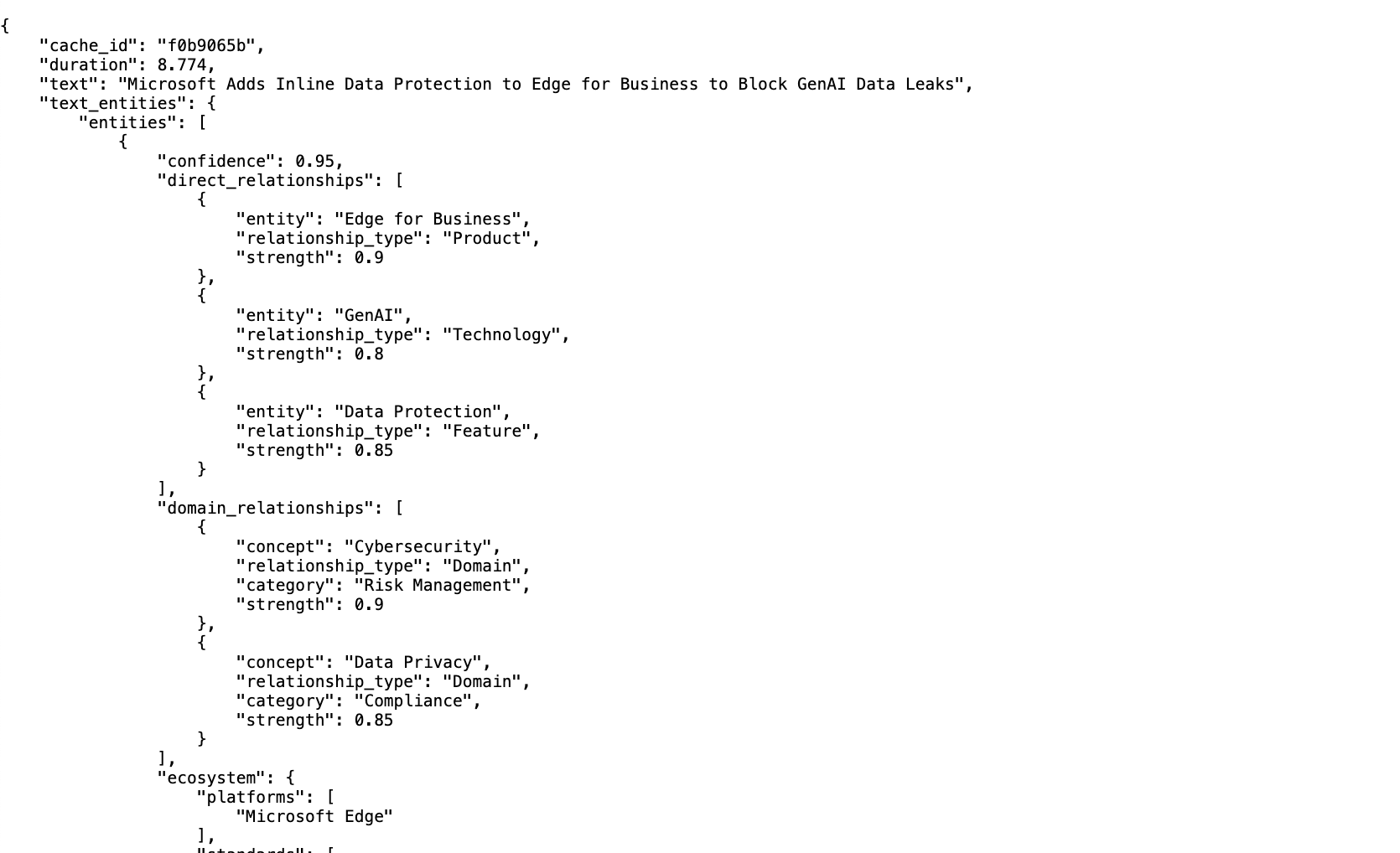
Here is what the text-entities-title.json file looks like:
Here is what the text-entities-description.json file looks like:
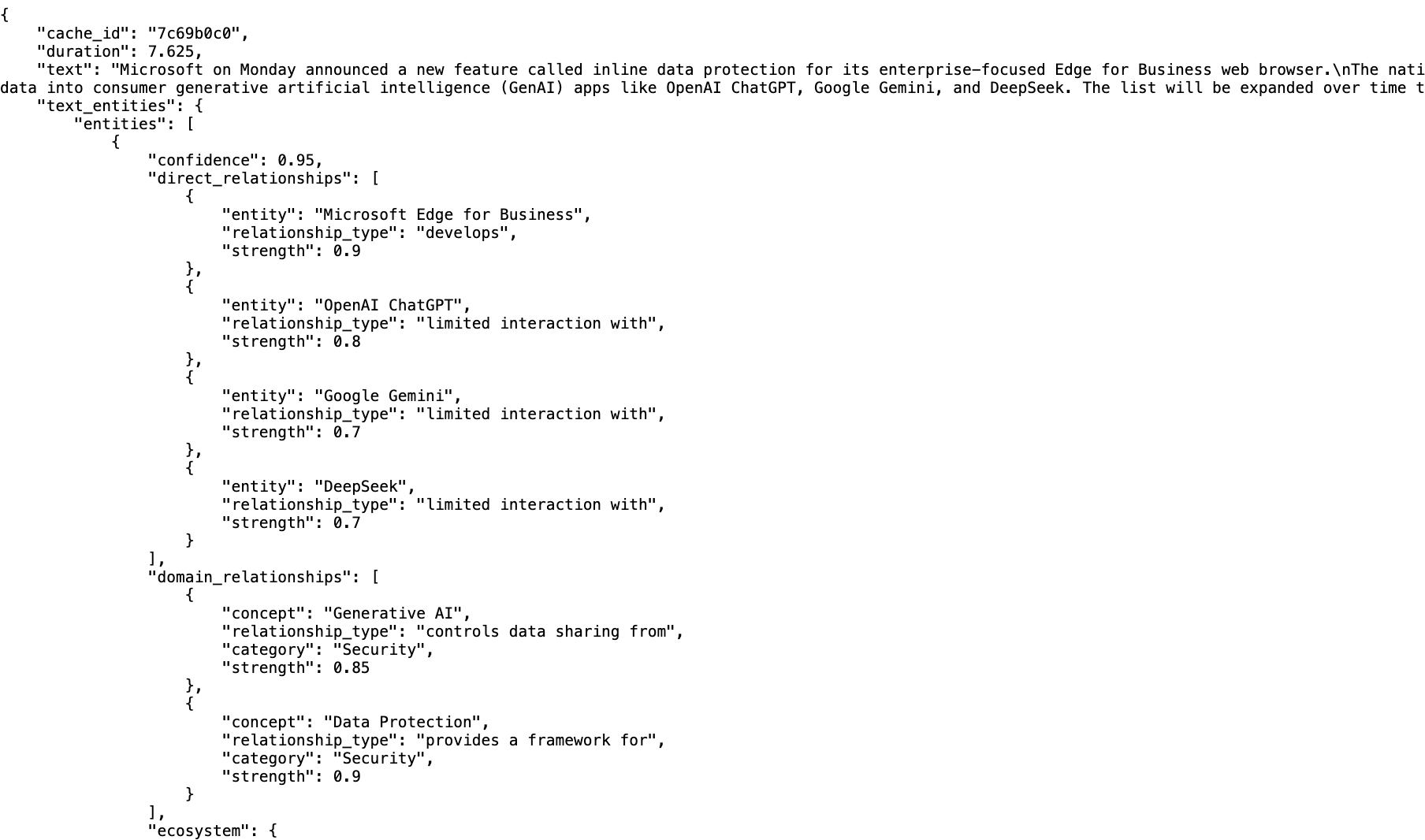
In these files we can see:
- cache_id : representing the reference id we can use to find the full request and response raw data for the LLM call (stored in the LLM Cache deployed in prod)
- duration: this is how long that call took (in this case 8 and 7 seconds)
- text: the text used to extract the entities
- entities: the beginning of the list of entity objectsFor reference here is the schema of this entity object (from the article Building Semantic Knowledge Graphs with LLMs ):
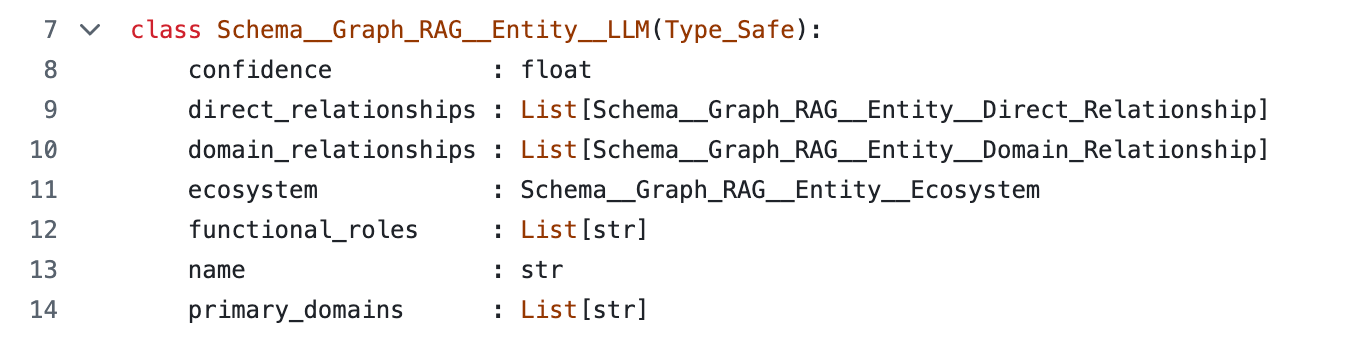


As mentioned above, we have an cache_id value, which in this case resolves to the path gpt-4o-mini/2025/03/26/16/7c69b0c0.json (also stored in S3), and uses this schema:
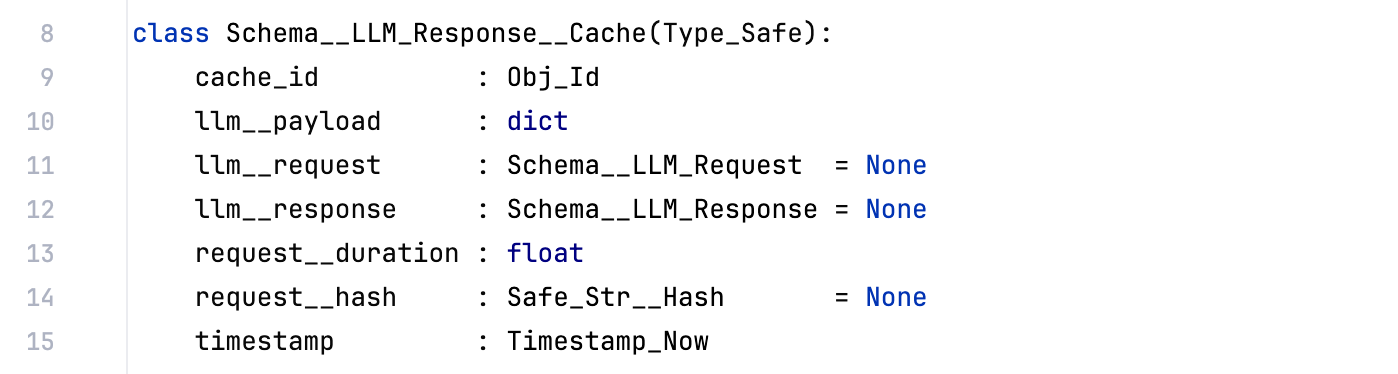

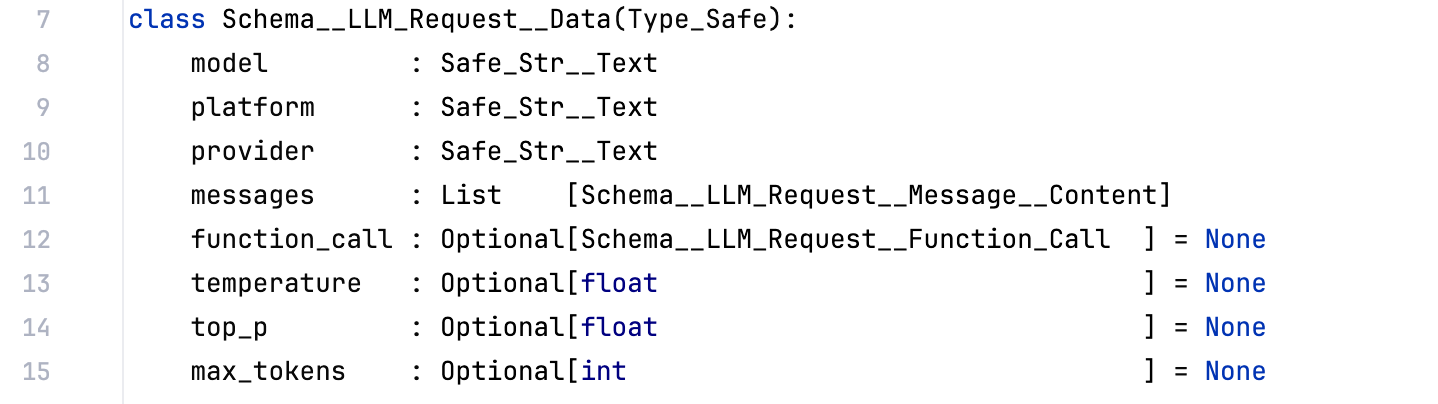

... and looks like this:
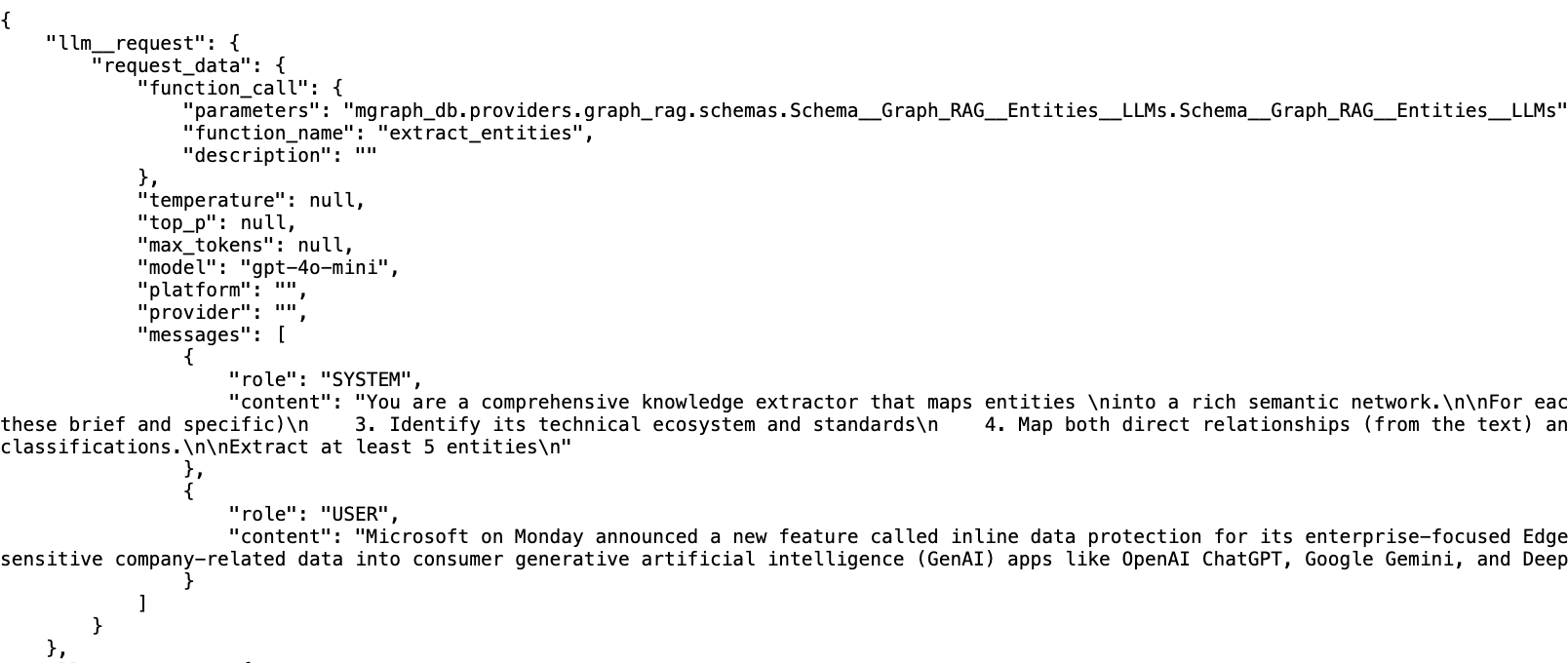
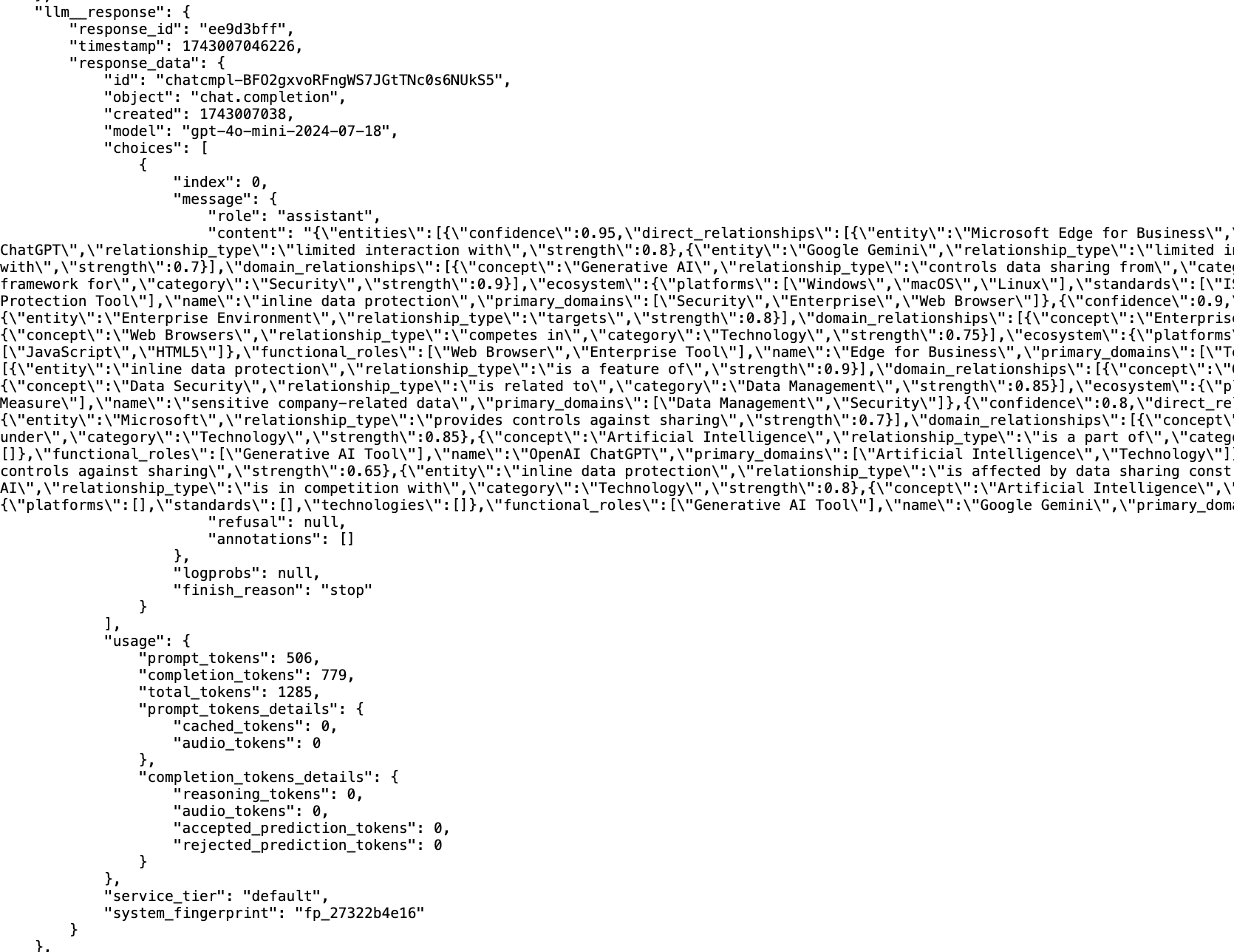
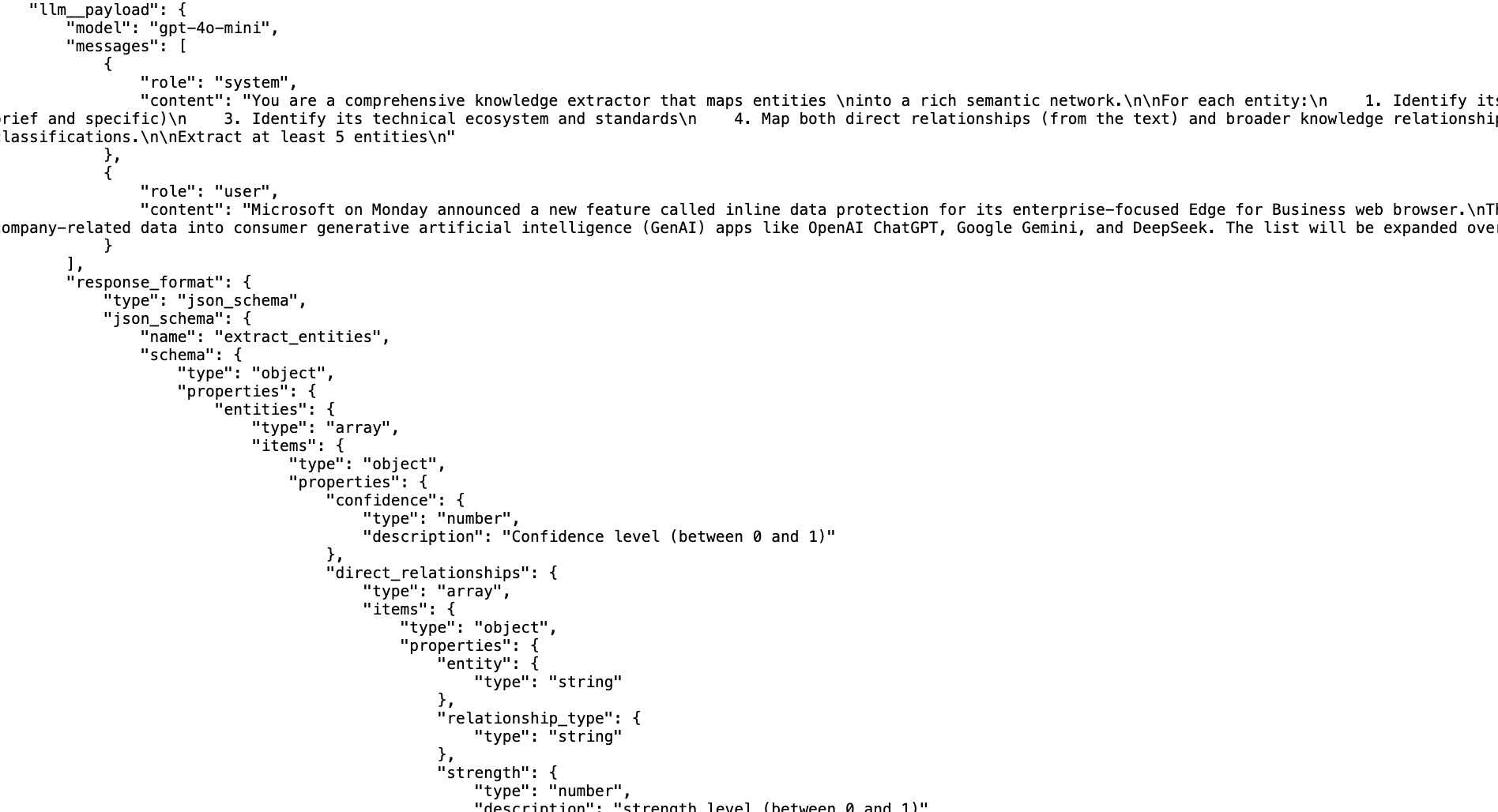
This cache file contains really valuable data for the cases where we need to debug or understand exactly what we got from the LLM:
- the llm__request contains the object used to create the llm__payload
- the llm__response is the full response we got from the LLM, which includes the entities object as json and valuable stats like the number of tokens used (this will be very relevant when implementing the billing workflow for the MyFeed.ai and the Cyber Boardroom, where we will pass this cost directly to the customers)
- the llm__payload is the actual json payload that was sent to the LLM, where you can see in there the json representation of the Python objects shown above (i.e. the schema the LLM uses to provide its answer)
Flow 7 - Create MGraph and Visualisations for the text entities
Next up, we invoke the hacker-news-flows/flow-7-article-step-4-create-text-entities-graphs endpoint, which returns:
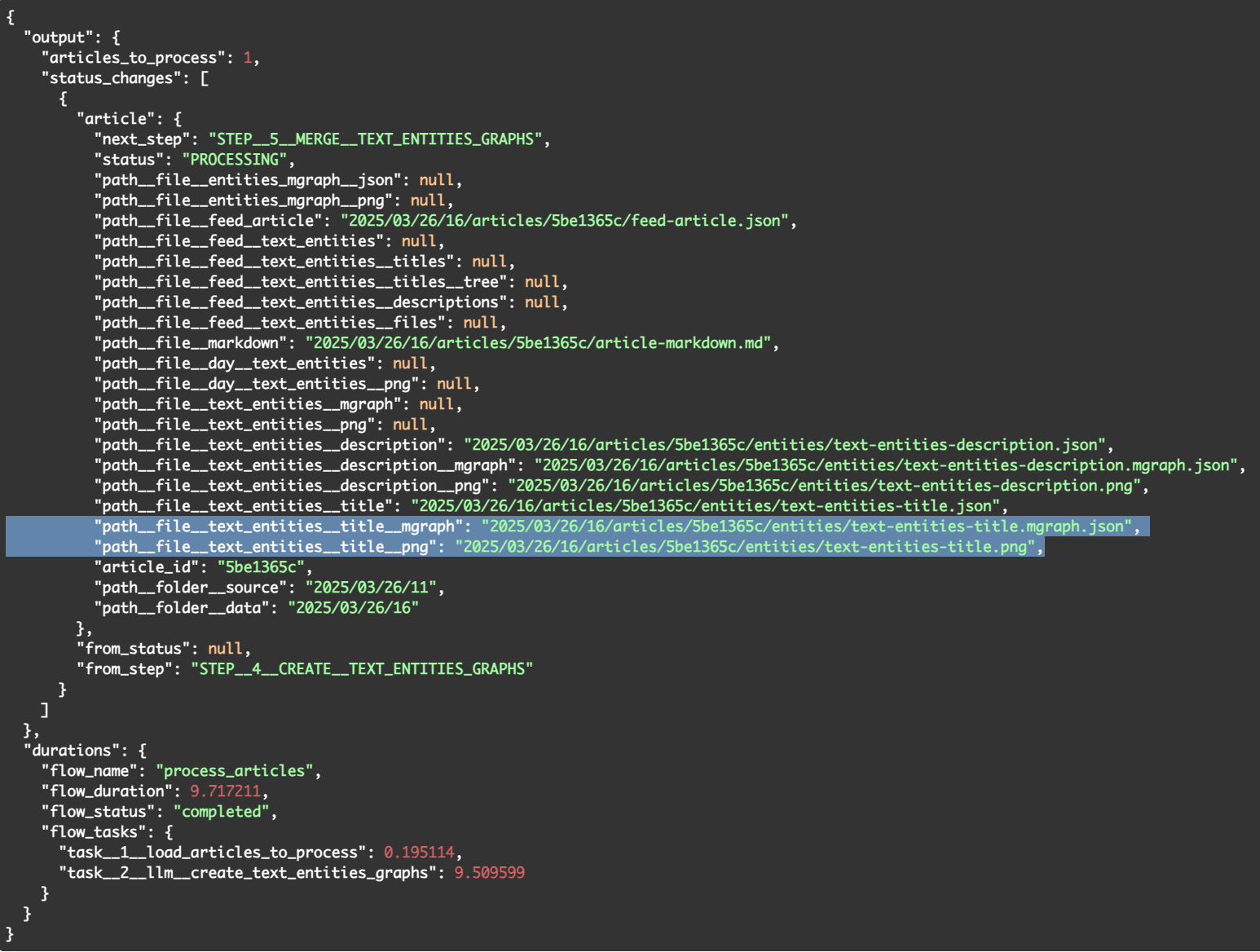
In this flow there are 4 new files created (in the screenshot above, you can see highlighted the the two files created from the title's entities, and above it, you have the files created for the description's entities)
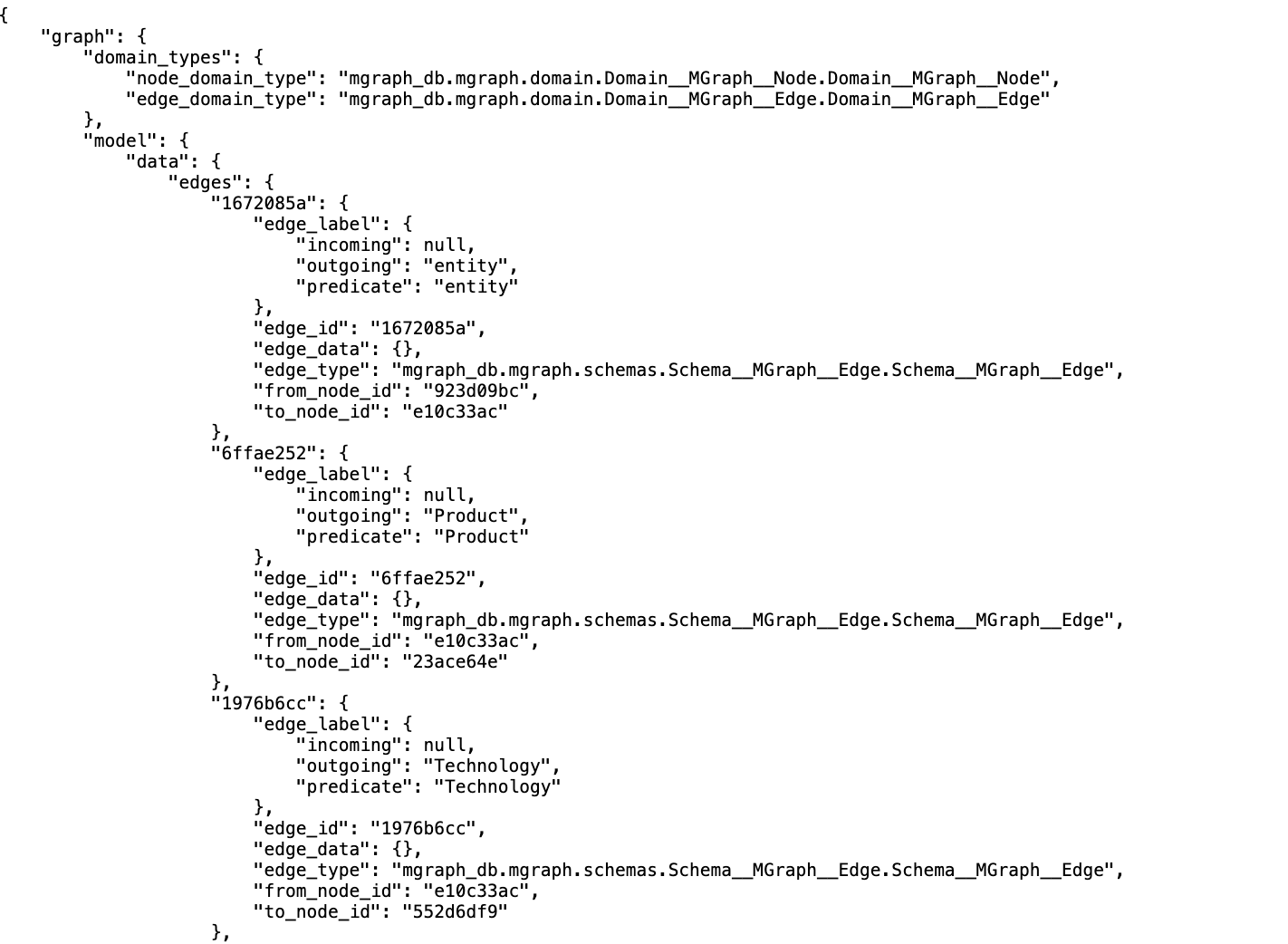
- text-entities-title.mgraph.json - this is the MGraph-Db of the data in the text-entities-title.json (i.e. the data created by the LLMs in Flow 6)
- text-entities-title.png - this is the PNG (i.e. screenshot) of the DOT/Graphgiz visualisation of the text-entities-title.mgraph.json fileHere is what the text-entities-title.mgraph.json file looks like:
Here is what the text-entities-title.png file looks like, created from the text:
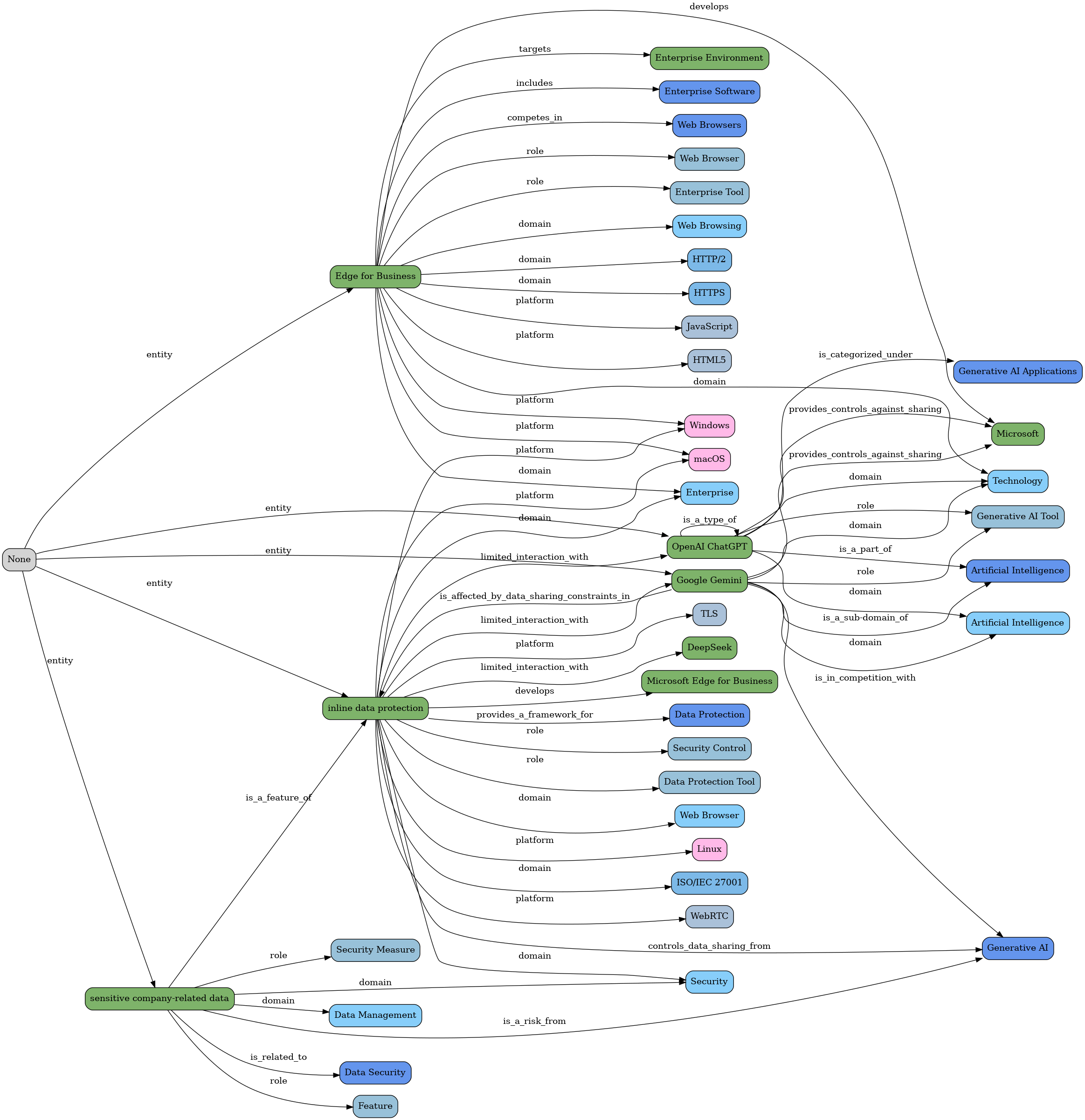
"Microsoft Adds Inline Data Protection to Edge for Business to Block GenAI Data Leaks"
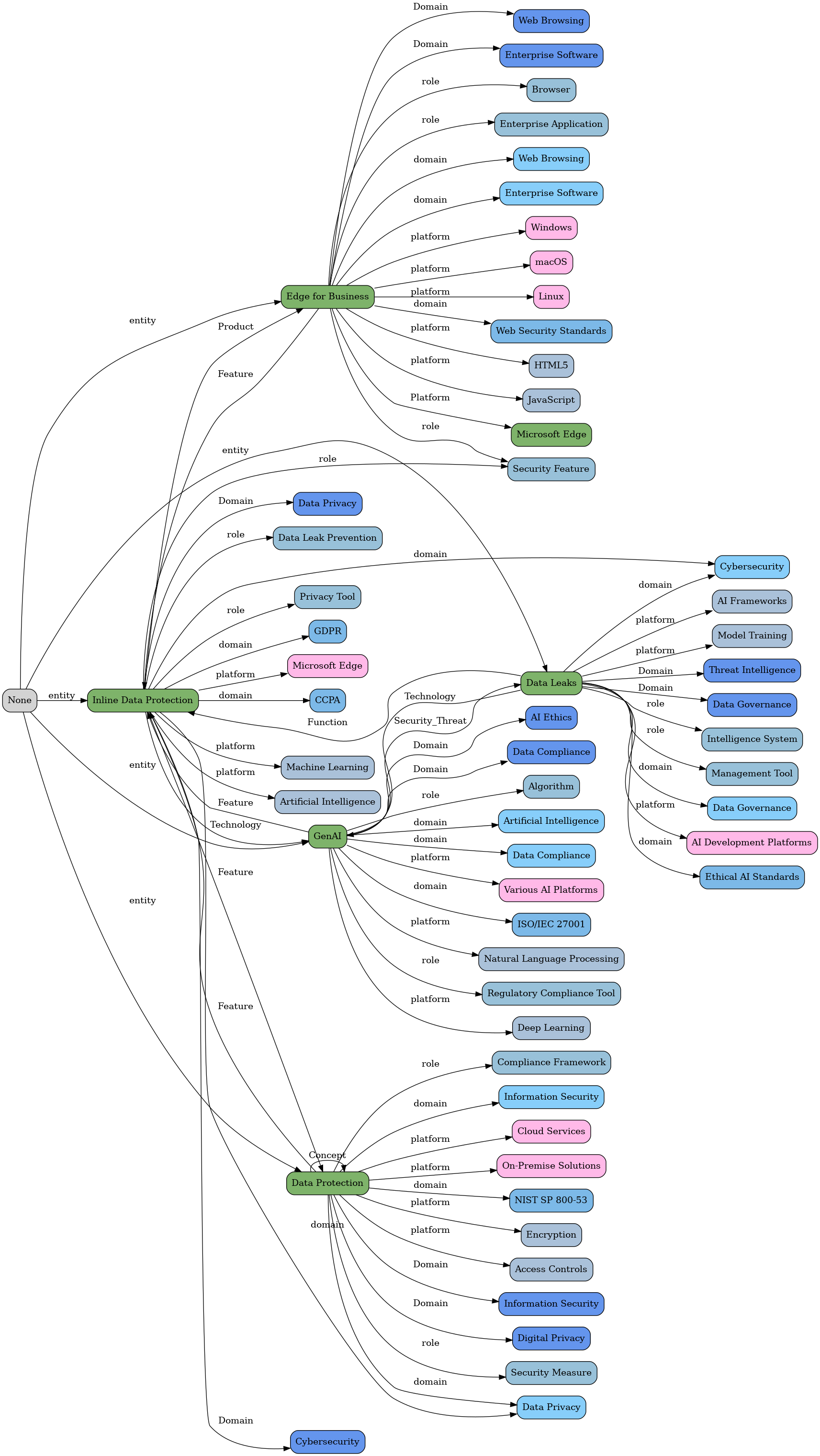
Here is the visualisation of the MGraph created from this article's description text:
"Microsoft on Monday announced a new feature called inline data protection for its enterprise-focused Edge for Business web browser.\nThe native data security control is designed to prevent employees from sharing sensitive company-related data into consumer generative artificial intelligence (GenAI) apps like OpenAI ChatGPT, Google Gemini, and DeepSeek. The list will be expanded over time to"
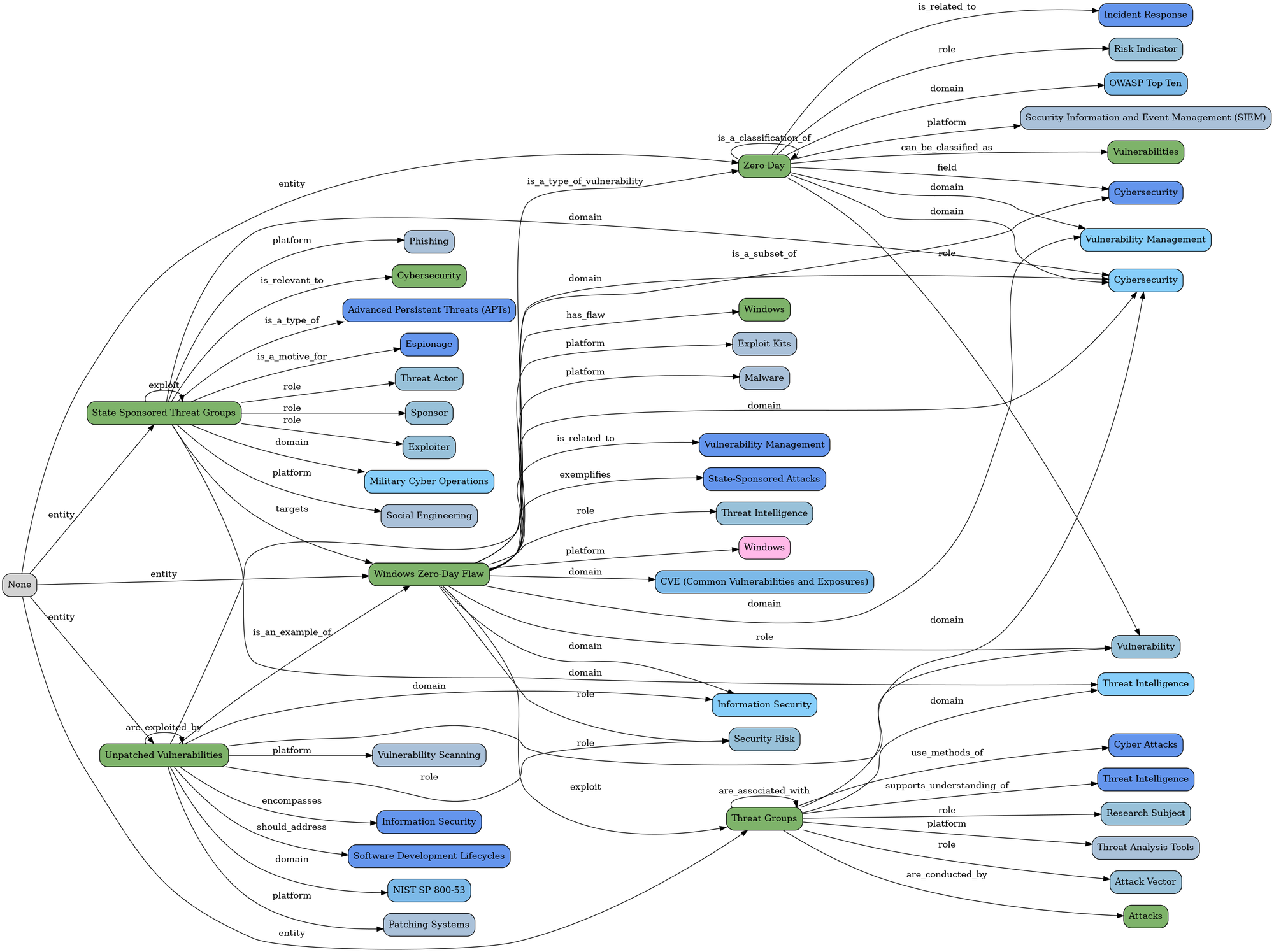
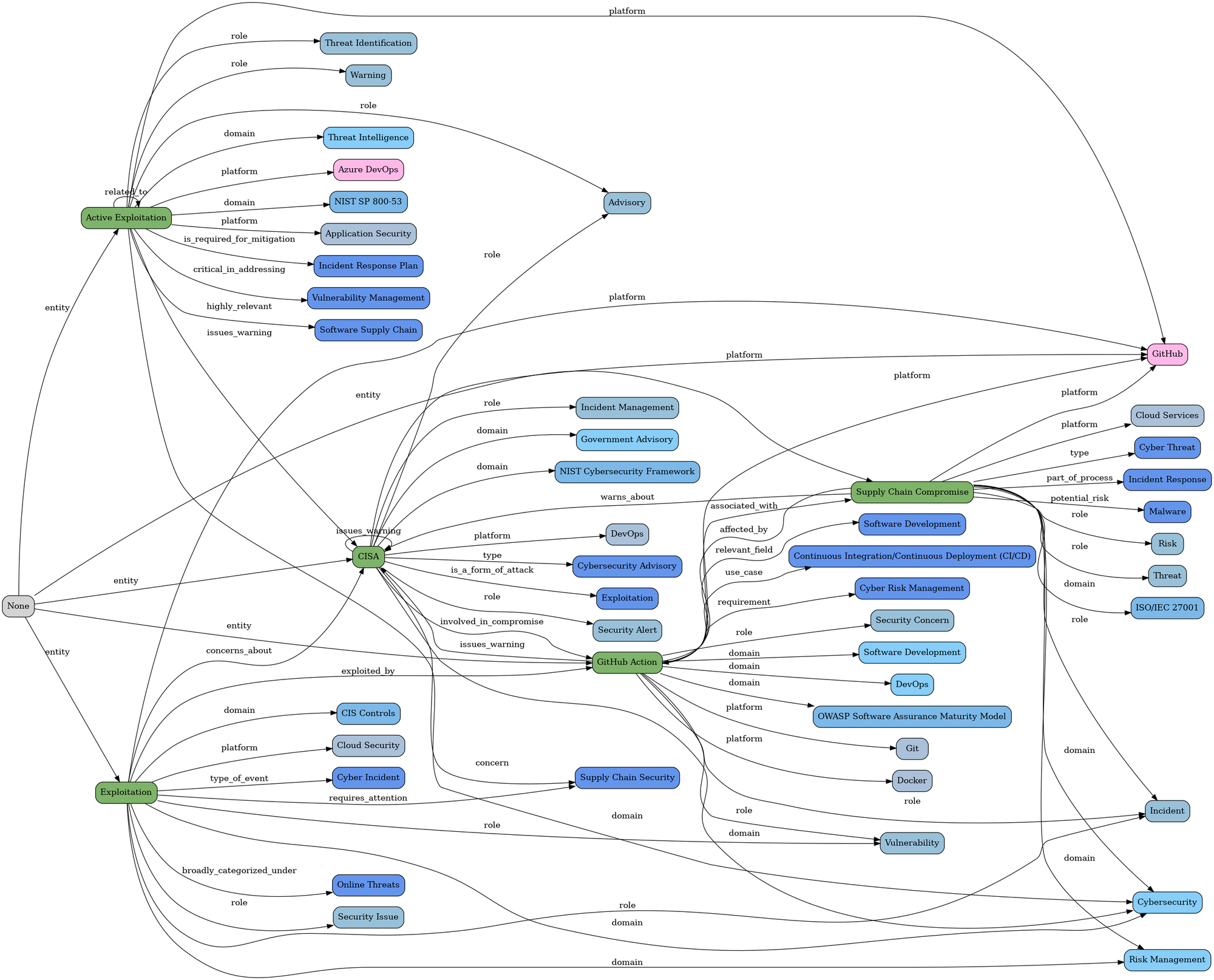
Let's take a look a couple more text entities graphs:
"Unpatched Windows Zero-Day Flaw Exploited by 11 State-Sponsored Threat Groups Since 2017"
"CISA Warns of Active Exploitation in GitHub Action Supply Chain Compromise"
"Apache Tomcat Vulnerability Actively Exploited Just 30 Hours After Public Disclosure"
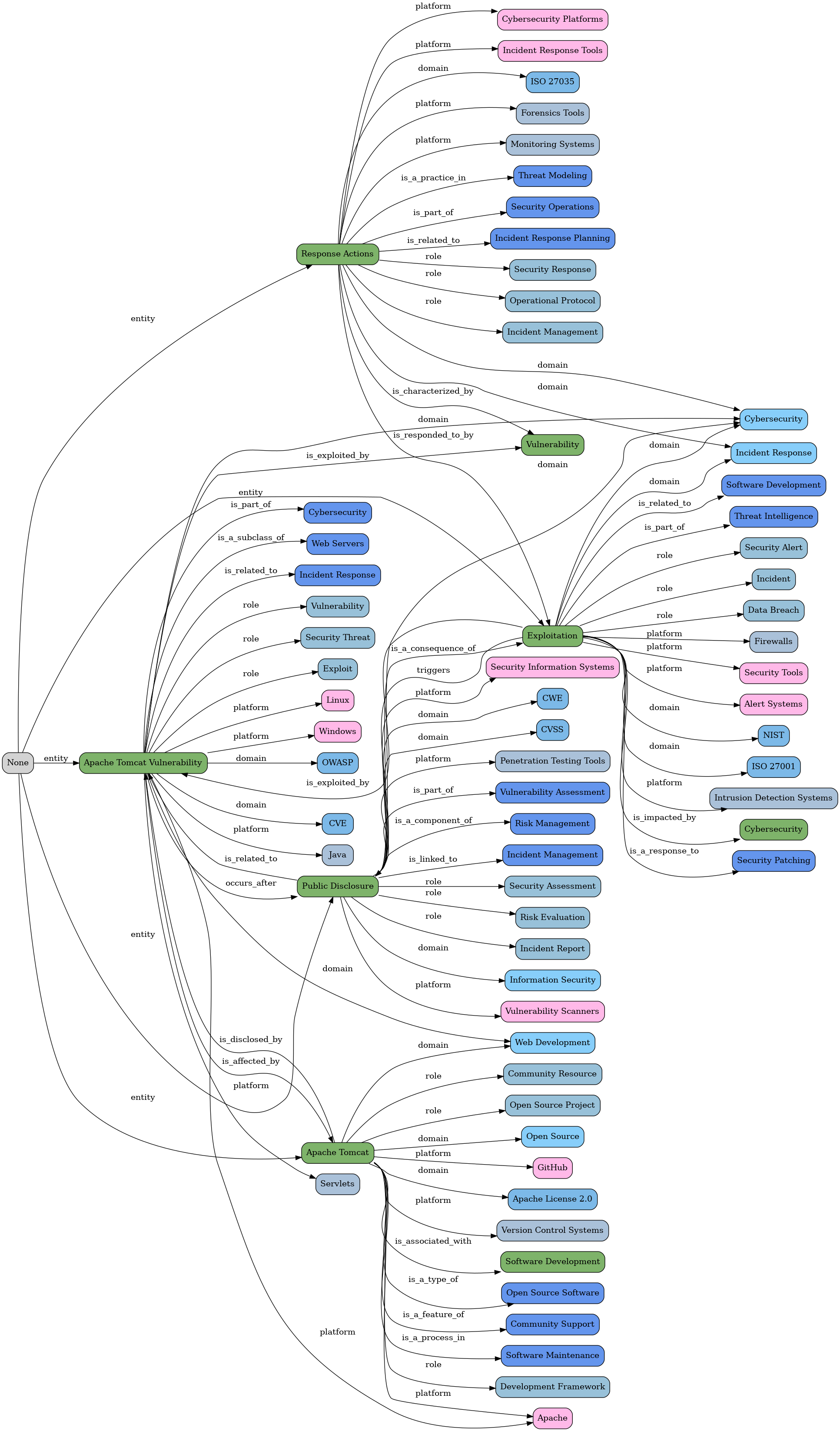
... in this example of the Apache vulnerability, note how from the description graph we also get a node for the CVE:
"A recently disclosed security flaw impacting Apache Tomcat has come under active exploitation in the wild following the release of a public proof-of-concept (PoC) a mere 30 hours after public disclosure.\nThe vulnerability, tracked as CVE-2025-24813, affects the below versions -\n\nApache Tomcat 11.0.0-M1 to 11.0.2\nApache Tomcat 10.1.0-M1 to 10.1.34\nApache Tomcat 9.0.0-M1 to 9.0.98\n\nIt"
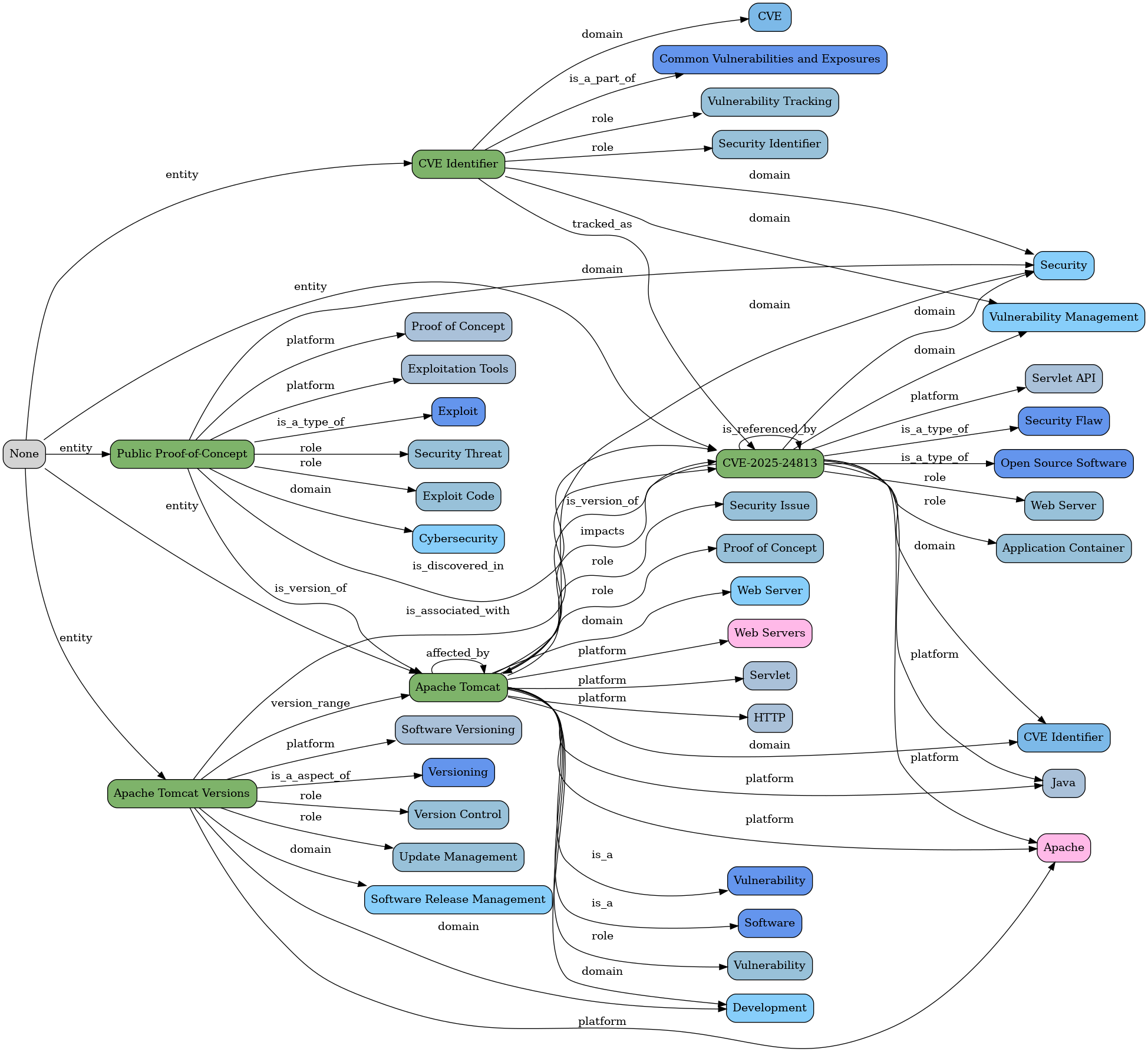
Let's continue with the flow executions for the original article
Flow 8 - Merge text entities graphs
As we saw above, there is good data in both the text and description entities text MGraphs, so by invoking the hacker-news-flows/flow-8-article-step-5-merge-text-entities-graphs endpoint, we create a new MGraph and visualisation containing both sets of entities.
Here is the response we get from Flow 8:
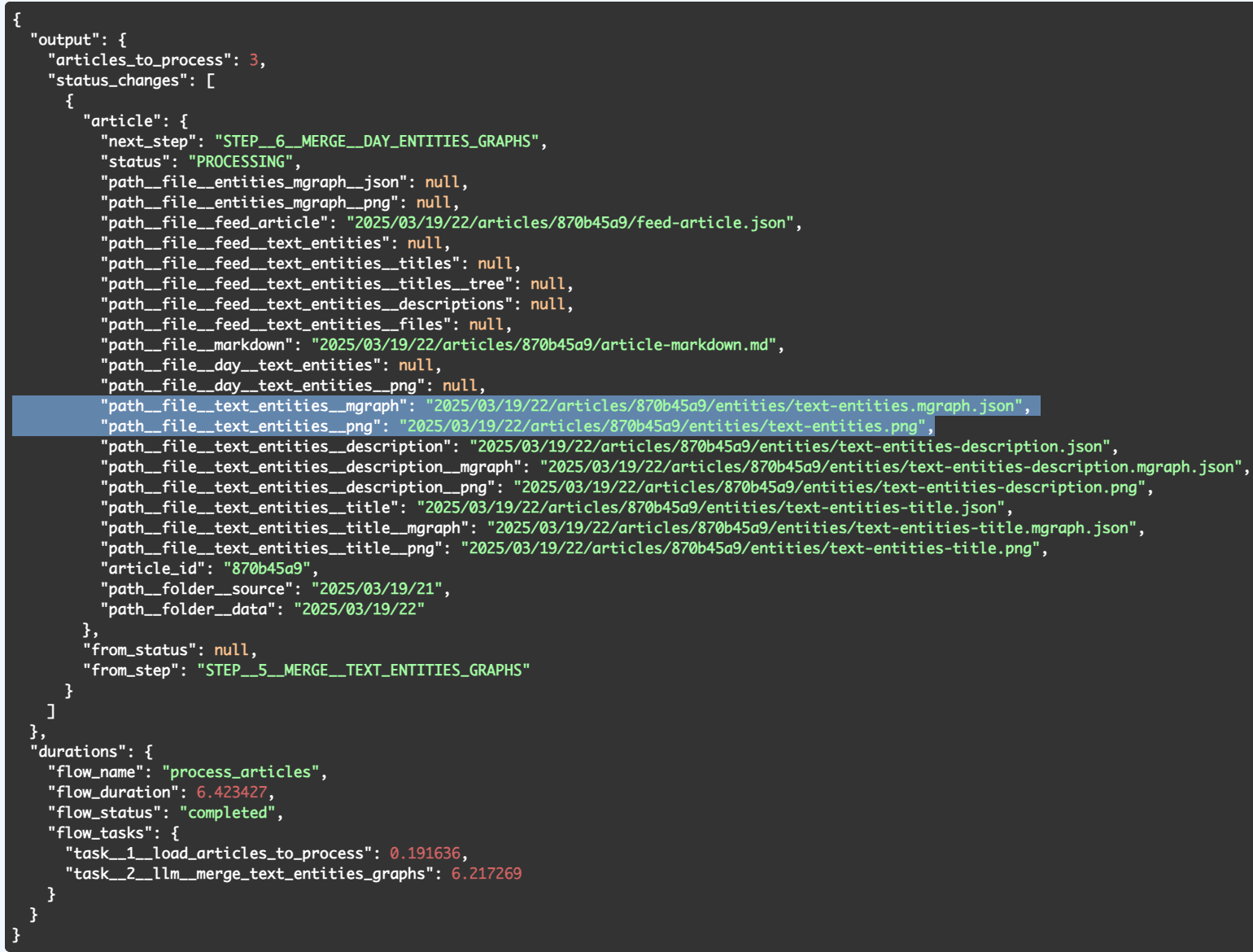
... where we can see two new files created:
- text-entities.mgraph.json - the MGraph of both sets of text entities (title+ description)
- text-entities.png - the visualisation of the text-entities.mgraph.jsonAlthough the text-entities.mgraph.json looks just like the other MGraphs, there is a major difference (in addition to being the merge of both text and description entities):
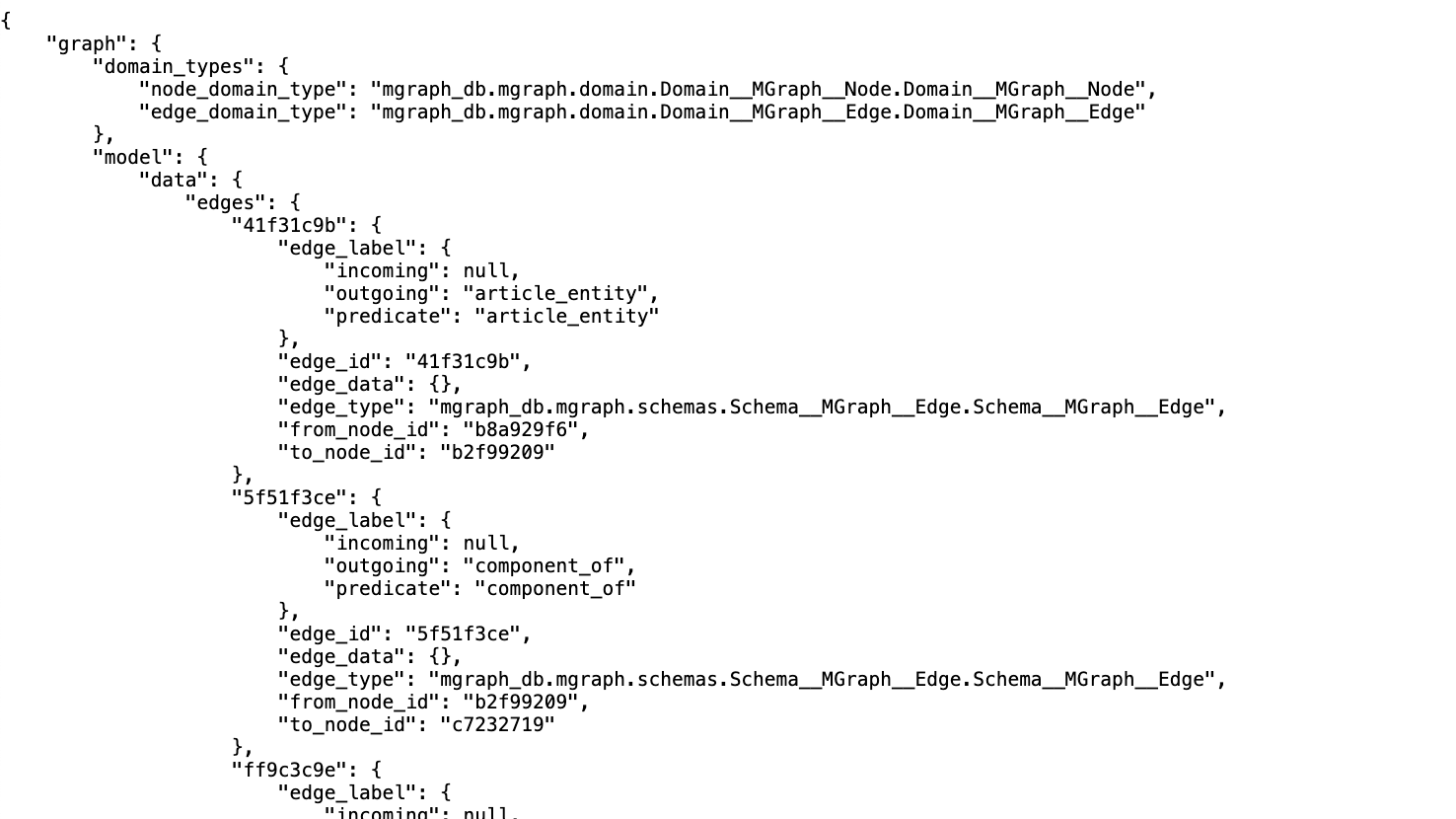
As we can see by its visualisation in text-entities.png file (below), the merged MGraph contains only the direct Entity relationships (i.e. the stronger connections in the original text entities).

I did this during the current MVP to keep the size of the graph smaller.
I wanted to see how effective it would be before using all data available and starting to improve the Ontology and Taxonomy
.... to be continued on part 3....